Type it
Write the way you would in Notes — “chicken and rice”, “two flat whites”, “half a plate of plov”. Press return between foods and each line becomes its own entry, all resolving at once.
A daily note for everything you eat and everything you do. Type it, say it, photograph it or scan the barcode — Bunvi works out the calories and the macros, and tells you exactly where the numbers came from.
iPhone, iOS 26.5 or later · 24 hours free, no card to start
assets/video/hero.mp4
A screen recording of one line being logged, 10–16 seconds,
silent, no cuts.
Search a database. Pick the right one of eleven entries for "chicken". Choose a serving size somebody else decided on. Put it in a meal bucket. By the third day it is a chore, and on the fourth you stop.
Bunvi has no search screen, no food database to browse and no breakfast-lunch-dinner buckets. There is one note for the day, and you write in it. That is the whole interaction.
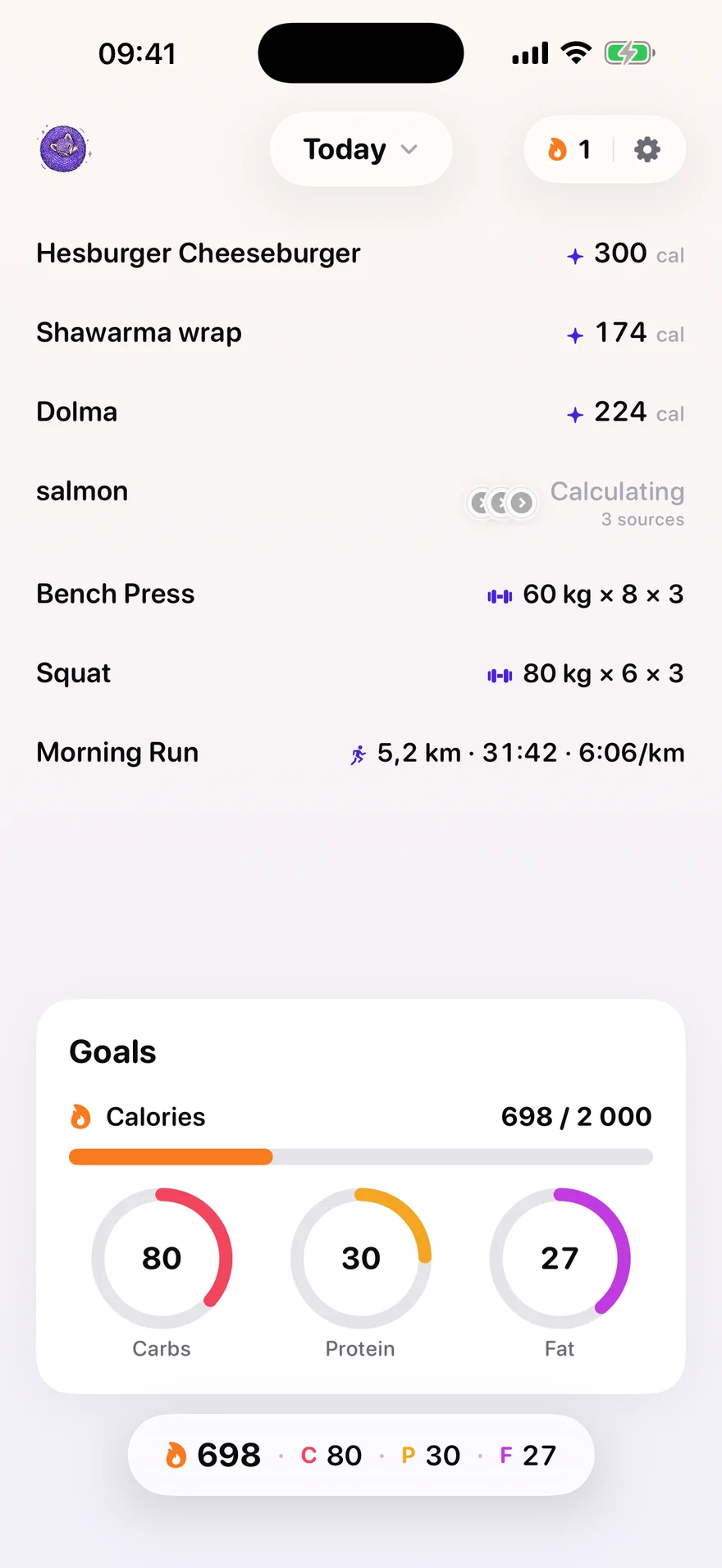
A bowl of plov and a set of squats are both lines in today's note. Same row, same name on the left, same answer on the right — a meal answers in calories, a lift answers in what was lifted.
There is no workout screen, no exercise tab and no fitness section. Adding one would undo the feature.
What you write
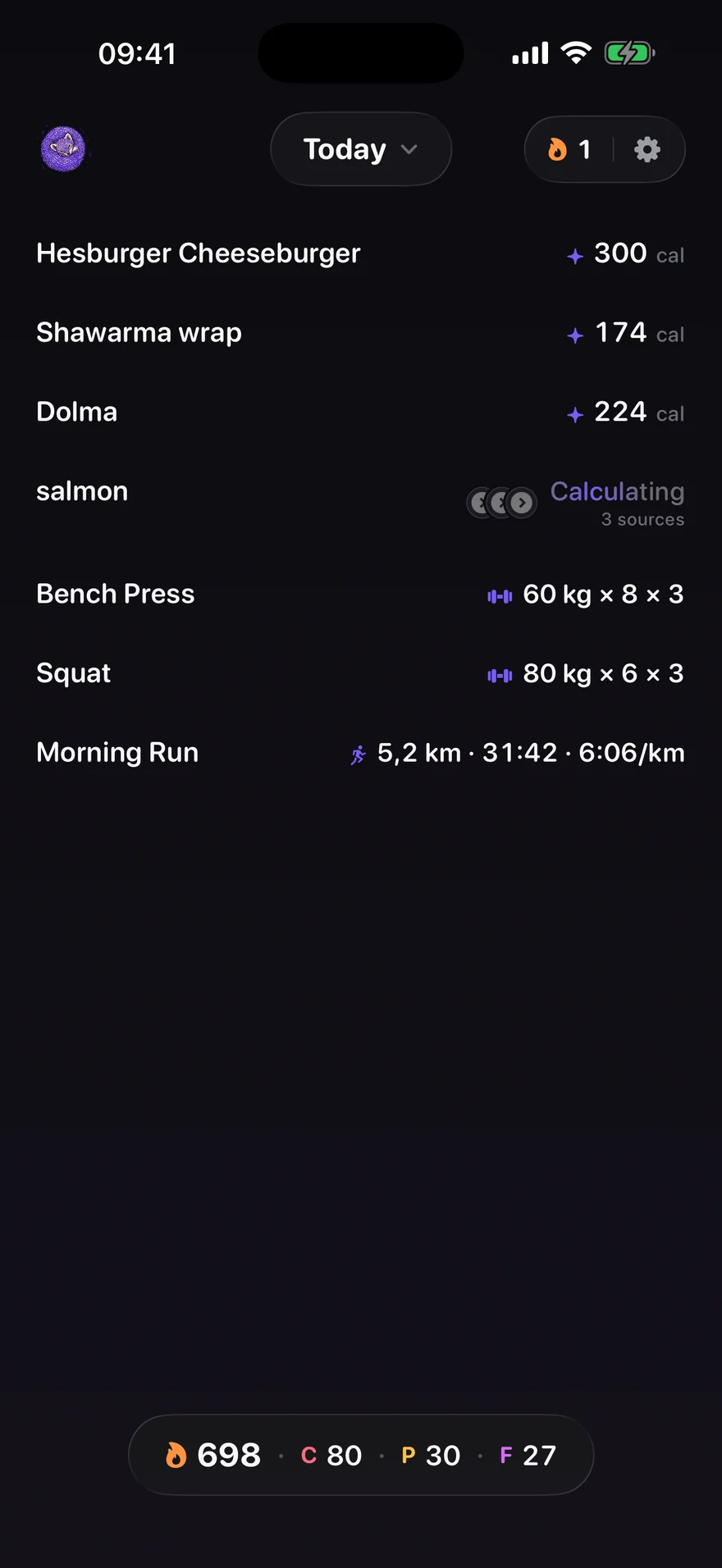
hesburger cheeseburger shawarma wrap dolma salmon bench press 60kg 3x8 squat 80kg 3x6 ran 5.2km in 31:42
Seven lines, and the day on the right is what came back. The total counts the food — a run is not a meal, and its energy is never added to a calorie goal.
All four end in the same place: a line in today's note, with the same numbers and the same sourcing behind it.
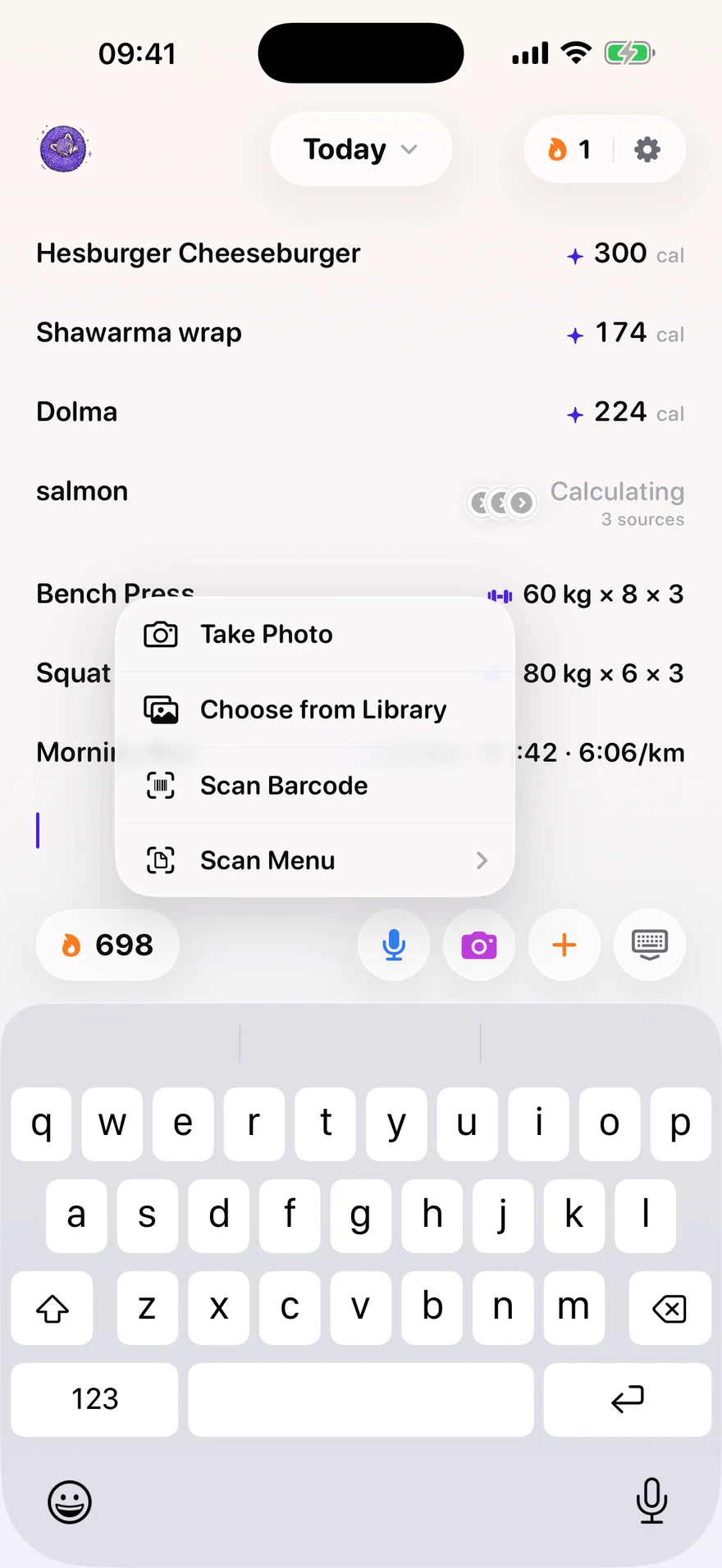
Write the way you would in Notes — “chicken and rice”, “two flat whites”, “half a plate of plov”. Press return between foods and each line becomes its own entry, all resolving at once.
Dictate in any of 70 languages. Most are transcribed by the phone itself — free, instant and offline. Latvian, Lithuanian, Estonian and a handful of others iOS cannot do are transcribed by Bunvi's own service instead, and the switch happens without you choosing it.
Take the picture or pick one from your library. Bunvi reads what is on the plate and estimates the portion from what it can see — a full plate is logged as a full plate. The photograph stays on the entry, so you can check the answer against what you actually ate.
Point the camera at a barcode. Known packaged products come back read off the label rather than estimated. When nothing has the code — which is most store-brand groceries — Bunvi asks for two photographs and learns it.
Photograph the menu in front of you instead of one dish. It is the same camera, one step along in the same menu.
Save a meal you eat often and log it again with one tap. It was resolved once already, so it costs nothing and carries the same numbers and the same sources.
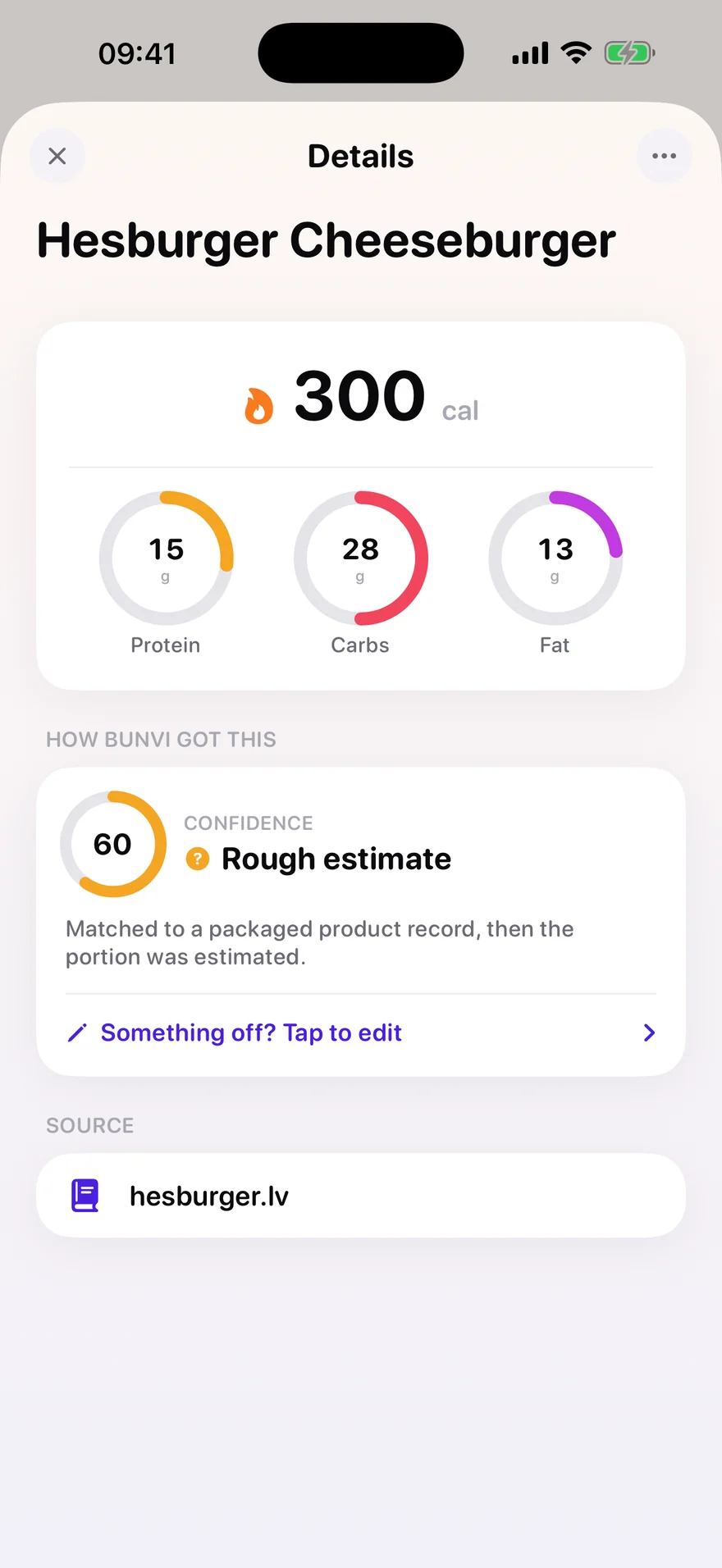
Every figure in Bunvi can be traced. Tap a line and it shows which tier answered, how confident it is and why, and the pages the numbers were actually read from.
A barcode Bunvi already knows, read straight off that product's own label.
A national food table, scaled to the portion. An American table for a Latvian rye bread is the mistake this product exists to fix.
When no table has the dish, it is built up from what is in it. A legitimate answer, and labelled as an estimate rather than dressed up as a measurement.
The supermarket's own listing, the chain's own nutrition table. Up to eight sources reach you, and the ones the figures actually rest on are marked.
Confidence is worked out by Bunvi from the evidence — how many independent sources agree, whether they contradict each other, whether the source belongs to the region you named, and whether the serving size was stated. It is never a number the model was asked to grade itself with.
“A calorie tracker that cannot tell a remembered number from a retrieved one is guessing with a citation stapled to it.” Why the search and the reasoning are two separate jobs inside Bunvi
Pão de queijo is not cheese bread, and jollof rice is not rice with tomato. Bunvi asks two questions once, in setup: where you are from, and where you are now.
Decides what your food is called, and the home kitchen Bunvi recognises. Photograph stuffed vine leaves and get back dolma, not “meatballs with rice”.
Decides the shops, brands and menus Bunvi searches. A burger bought in Estonia is priced by Estonian sources.
Location is optional and off until you turn it on. When it is on, Bunvi asks the phone which country you are in and keeps only that. Your coordinates never leave the phone.
Sources for one dish
Real sources from Bunvi's own test runs. What you see depends entirely on the dish and the two countries you named.
Store-brand groceries are missing from every public database. When a scan finds nothing, Bunvi asks for the front of the packet and its nutrition panel, and learns that product for good. A submission is provisional until a second, independent one agrees with it.
Write bench press 60kg 3x8 and it becomes a row. Write two exercises on one line and it becomes two rows. Runs, rides, swims, yoga — whatever you did, in the words you would use for it.
bench press 60kg 3x8 squat 80kg 3x6 ran 5.2 km in 31:42
A figure you cannot tell apart from one your watch measured is worse than no figure at all. So the two never share a section.
Volume, pace and an estimated one-rep max are arithmetic, recalculated every time they are drawn and stored nowhere — so a calculated figure can never later be mistaken for a measured one.
“30 min treadmill” states a duration and nothing else, so Bunvi records a duration and nothing else — not “about 300 kcal”. An energy figure is accepted only from you, from a machine's display, or from Apple Health. And it is never added to your calorie goal: the energy of one workout is not a day's energy expenditure.
screenshots/appstore/12-activity-detail.png
Open a bench press row. Needs the Sets card and the
“Calculated by Bunvi” section visible in one frame.
Workouts recorded elsewhere arrive in the same note, once each, with their measured distance, duration and energy intact. Bunvi never writes a workout back — it would come home as a second one.
Stats keeps the exercises you have trained, with total load and the estimated one-rep max under it, and a plain note that active calories are not your daily energy use.
“It was 70 kg, not 60.” Correcting an activity goes through the same plain-language edit food does, so you are never limited to the fields somebody thought of in advance.
Almost nobody decides to stop tracking. They stop opening the app. So the numbers live where you already look.
Calories and macros derived from your height, weight, age and what you are aiming for, with a bias setting for how Bunvi should lean when the sources disagree. The goal bar itself can be rearranged: choose which figures sit on it, and whether they count what you have eaten or what is left.
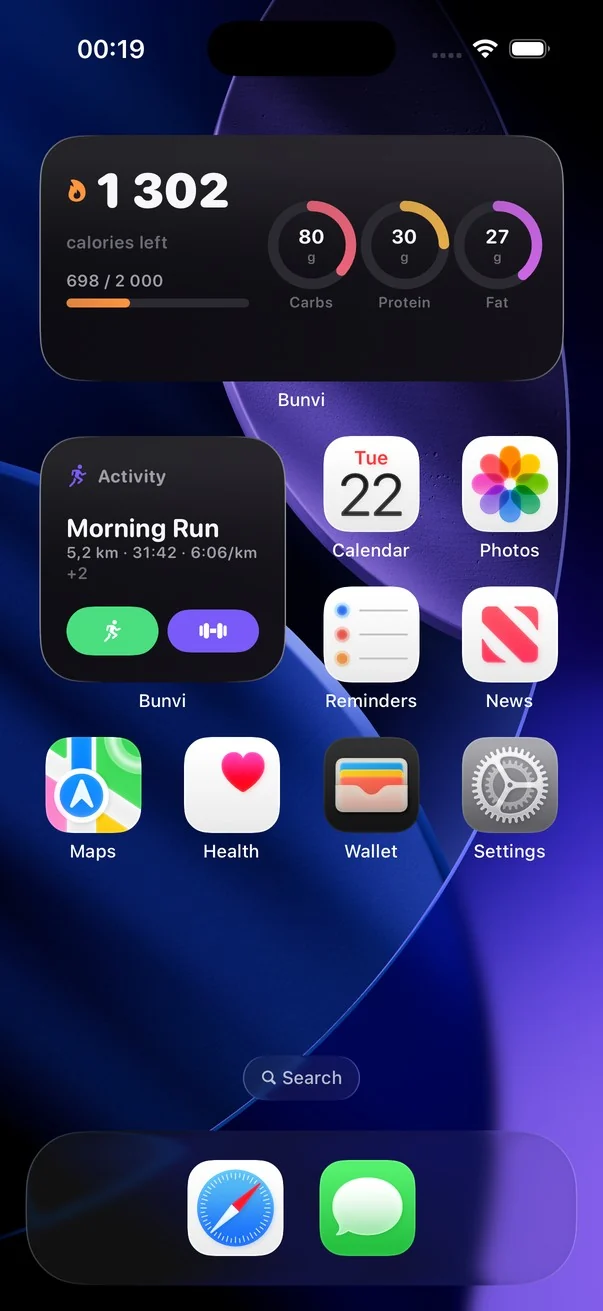
Six home-screen tiles and four for the lock screen. The water tile logs a drink without opening anything; the activity tile starts a run or a workout; the quick-log tile carries the compose bar's own dictate, camera and saved-meals buttons.
A widget never reaches the network — it reads what the app left for it. A snapshot from yesterday is shown as zero rather than as today's numbers.
Name your containers — a 250 ml shaker, a 750 ml bottle — and one tap logs one of them. Water stays on your phone; it was always a local tally.
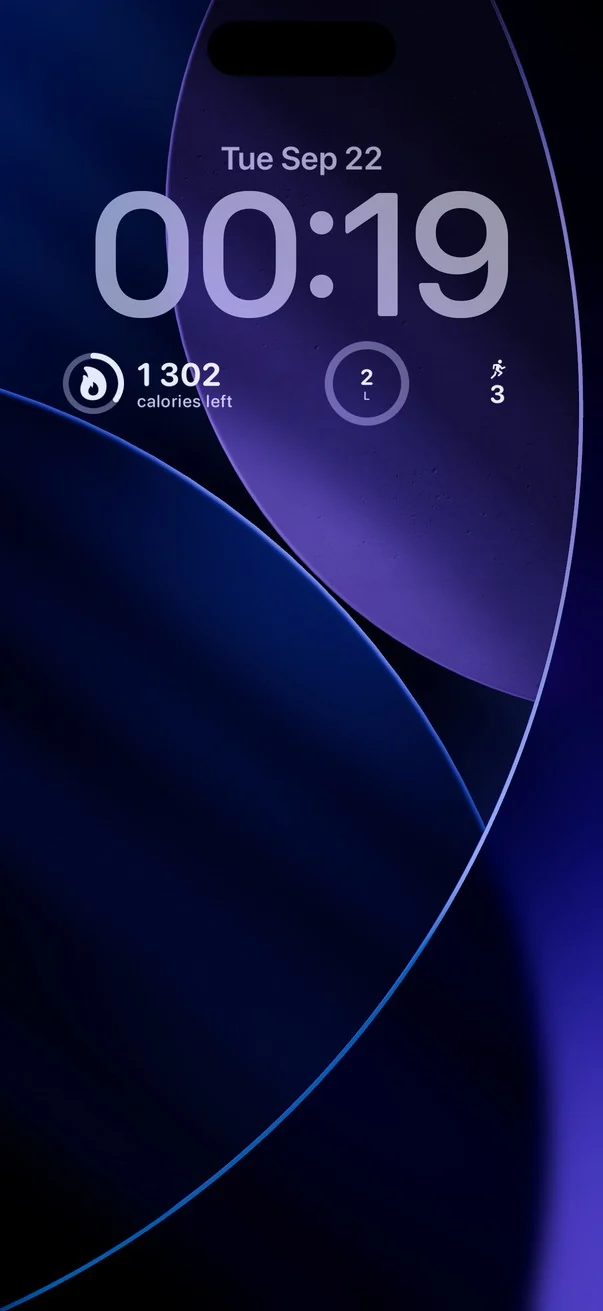
Every colour in Bunvi is a light and dark pair. Dark mode is the same app, asked a different question.
English, German, Spanish, French, Portuguese (Portugal and Brazil), Italian, Dutch, Swedish, Danish, Norwegian, Latvian, Lithuanian and Estonian — every string, including the widgets. A language is only offered once it is actually finished.
Swipe sideways between days. The month grid marks the days you hit your goal and the ones you missed, and leaves the days you never logged unmarked — because not logging is not a failure.
Every paid request is checked on Bunvi's own servers before it costs anything, on tables your account cannot write to. No AI keys ever ship inside the app. Deleting your account removes your diary and your photographs from the servers, not just from the phone.
What Bunvi keeps, who else sees it and why is set out in full in the Privacy Policy.
I don't have a cat. I wanted a better way to keep track of what I eat and what I do in a day, so I built one.
The app I had been using was genuinely good, and writing a line instead of searching a database is its idea, not mine. What sent me off to build my own was photographing dolma into it one evening and watching it answer from Spanish and French recipe blogs and a Brazilian composition table — and then print “12 sources”, as if breadth were rigour.
So Bunvi searches the country you named rather than whatever the web offered first, shows you the handful of pages the figures were actually read from, and works out its own confidence instead of asking a model to grade itself. It estimates the portion fresh every time rather than reaching for a stored “1 serving”. And because I lift and run, my training is in the same note as my food — not in a second app keeping its own separate score.
There are things it deliberately will not do. It will not tell you a thirty-minute treadmill session burned 300 calories, because you did not tell it that and it does not know. I would rather it left a number out than made one up.
If something is wrong, write to me — support@bunvi.app. It is me reading it.

Bunvi's mark is a pine marten. It sleeps curled up like this, which felt about right for an app that is supposed to stay out of the way.
I film what I am working on — the decisions, the parts that did not work, and what shipping an app on your own actually takes.
Channel link to be added.
[YOUTUBE VIDEO 1]
Episode slot one
Replace with a real video — see the comment in the source.
[YOUTUBE VIDEO 2]
Episode slot two
Replace with a real video — see the comment in the source.
[YOUTUBE VIDEO 3]
Episode slot three
Replace with a real video — see the comment in the source.
The free day starts when you tap the button, not when you sign up — so it is a day of actually using Bunvi rather than a day of meaning to.
Monthly
$12.99/mo
Billed every month.
Yearly Best value
$100/yr
About $8.33 a month.
Prices are set in US dollars; the App Store shows your own currency, and the figure in the app is the one you pay. Subscriptions renew until cancelled — the details are in the Terms.
Write down the first thing you eat today and let Bunvi work out the rest. The first 24 hours are free, and they start when you say so.
iPhone, iOS 26.5 or later · support@bunvi.app